
Getting Started in Build A Racetrack
Finish a tiny raceable course, claim RELEASE, and start the cash loop fast.
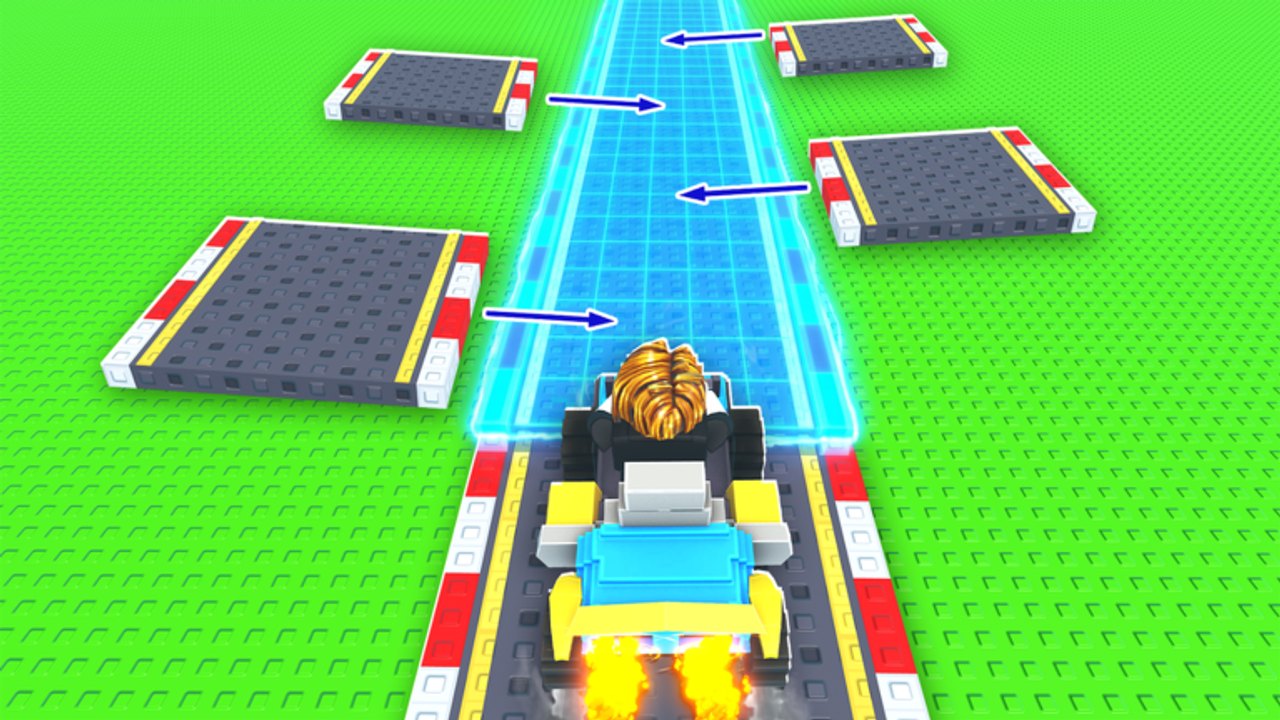
Build A Racetrack by Fun² Games is a Roblox Simulation / Tycoon where you buy pieces, assemble a custom course, and drive for cash. Better cars raise money per lap, and a working track keeps paying while you are offline. This getting-started guide covers your first session on the official place (server size 6) without wasting the launch code or brickwalling your only income path.
Before anything else, confirm the creator is Fun² Games and you joined via the real experience linked from Official Links. Same-name clones use different codes and tutorials.
Minute 0–5: redeem and orient
- Join a server and let tutorial prompts appear — read them; they map to the real build UI.
- Open the Codes interface and enter RELEASE exactly (case-sensitive) for 5,000 Cash. Steps: How to Redeem Codes. Full list: Codes Hub.
- Glance at movement controls for your device — details on Controls and the Players Hub.
- Note your cash after redeem so you can see the credit land.
Do not open the most expensive car yet. Cash without a completable track does nothing.
Minute 5–20: build a tiny closed course
Your only goal is a short loop you can finish twice in a row.
- Buy basic straights and turns first.
- Connect pieces so the car returns to the start without gaps.
- Ignore loops and jumps until the flat circuit works.
- Drive after every few placements; undo problems immediately.
Deep piece theory lives in Track Pieces. Layout habits and failure modes: How to Build a Track.
First-track anti-patterns
- Spiral complexity before one clean lap exists
- Huge jumps with starter acceleration
- Decorating empty space instead of closing the circuit
- Spending the entire 5,000 on mixed novelty pieces with no plan
Minute 20–40: race and learn the three income channels
Once the loop works:
- Race your track — complete laps to earn.
- Race other players’ tracks — in a 6-player server, hop a finished-looking course while you save (Visiting Other Tracks).
- Plan for offline — never log out on a broken main layout; offline earnings need a functional track (Offline Earnings).
Full economy write-up: How to Earn Money. Session habits: Players Hub.
Minute 40–60: first car upgrade
Open the shop and look for the next vehicle that clearly improves earnings per lap relative to cost. Role ranking: Cars Tier List and Tier List Hub. Timing advice: Upgrade Cars.
Rules of thumb:
- If the upgrade would leave you unable to repair a broken piece, wait.
- If laps already feel smooth and cash is the bottleneck, buy the car.
- Cosmetics that do not change payouts can wait forever.
Spending order checklist: Cash Checklist and Tools Hub.
First-session checklist
- Official Fun² Games place
- RELEASE redeemed (or confirmed already used)
- Closed starter circuit
- Two clean laps on your course
- At least one peer track raced
- First earnings-minded car purchase considered
- Optional single loop/jump added and retested
- Logged off with a working track
What to study next
| If you are stuck on… | Read |
|---|---|
| Jumps/loops failing | Track Pieces, How to Build a Track |
| Slow cash | How to Earn Money, Visiting Other Tracks |
| Offline / AFK income | Offline Earnings |
| Shop confusion | Upgrade Cars, Cars Tier List |
| Input issues | Controls |
| Patch changes | Updates, Patch Notes |
| Script temptation | Scripts, Script Safety |
Common beginner questions answered in play
Should I rebuild from scratch often? Early on, yes — small wipes beat fighting a cursed jump. Keep a known-good micro loop as a fallback income path when experimenting.
Do I need friends? No. Solo works. Friends in the same 6-player server just give more peer tracks to sample.
Are scripts required? No. Legitimate codes plus racing beat risky executors for long-term accounts.
Mindset for day two
Return, claim offline cash, fix anything that broke in memory, then push either a better car or a cleaner mid-size course. Build A Racetrack rewards steady iteration: every reliable lap funds the next piece of spectacle. Stay on the Fun² Games version, keep RELEASE in your history as claimed, and graduate from this page into the specialized guides above.
Frequently Asked Questions
Quick answers to the most common Build A Racetrack questions.
What should I do first in Build A Racetrack?
Redeem RELEASE for 5,000 Cash, build a tiny closed course, and complete clean laps before buying fancy pieces or expensive cars.
How much is the RELEASE code worth?
5,000 Cash on the Fun² Games experience. It is case-sensitive and generally one-time per account.
When should I buy my first better car?
After you can finish laps consistently and still keep a small cash buffer for piece repairs. Prioritize earnings value over looks.
Does my track earn money while I am offline?
Yes. Leave a working track as your main layout so offline earnings can generate while you are logged off. See Offline Earnings for the full AFK checklist.
Why do some beginner guides list different codes?
They may cover a different same-name Roblox game. This wiki focuses on Fun² Games and the RELEASE code.